
Why Meeting Overload Has Become a Real Productivity Problem
You have probably heard the phrase, "That meeting could have been an email." People laugh because it lands. But the real issue is bigger than the occasional unnecessary standup. Over the past decade, and especially during the rise of remote and hybrid work, meetings have expanded into a structural productivity problem that many organizations still underestimate.
According to research published in the Harvard Business Review, the average professional now spends roughly 23 hours per week in meetings, up from fewer than 10 hours in the 1960s. That is not a modest shift. It is a major change in how knowledge work is organized, and the pandemic accelerated it further. A Microsoft Work Trend Index report found that time spent in meetings for the average Teams user has tripled since February 2020 and continues to climb.
The irony is that more meetings have not produced better outcomes. In a survey by Atlassian, employees rated half of all meetings they attend as time wasted. That is not a perception problem. It is a structural one. Meetings are ballooning not because teams need more face time, but because organizations lack the systems to capture, distribute, and act on the information that meetings generate. If that is your bottleneck, a solid meeting agenda template is often the first layer of improvement.
This is the gap AI meeting assistants are built to close. The goal is not to eliminate every meeting. It is to make necessary meetings more useful and to preserve the decisions, context, and next steps that usually get lost once the call ends. That same logic also connects directly to better meeting recap workflows and clearer follow-through after the call.
What Unproductive Meetings Actually Cost
Meeting overload is not only frustrating. It has a measurable cost that many companies still fail to calculate clearly.
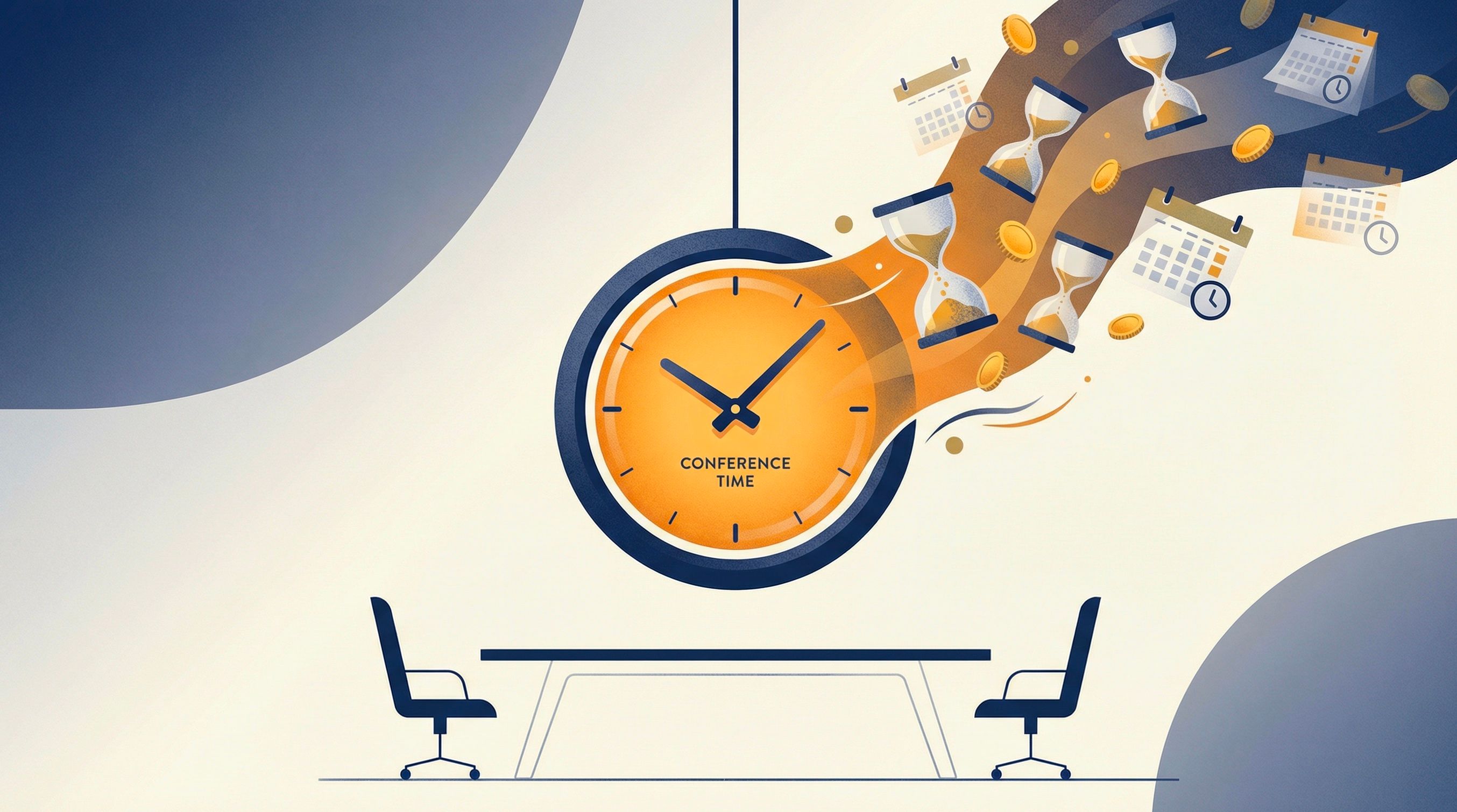
Unproductive meetings drain both time and revenue from organizations of every size.
A study by Otter.ai, drawing on Bureau of Labor Statistics data, estimated that unproductive meetings cost U.S. businesses around $37 billion per year in wasted salary alone. That broader trend also aligns with reporting from the Harvard Business Review and Microsoft WorkLab, both of which show how meeting volume keeps expanding in knowledge work environments. For a company with 100 employees averaging $70,000 in salary, that translates to roughly $2.5 million annually spent on meetings where no clear outcomes are achieved.
But salary waste is only one part of the picture. The larger issue is opportunity cost: what your team could have shipped, sold, designed, or solved during that same time. Engineers are not shipping code. Salespeople are not closing deals. Designers are not iterating on products. Every hour spent in a low-value meeting is an hour stolen from high-value, focused work.
Research frequently cited by the American Psychological Association suggests that context switching, the mental act of shifting from one task to another, can meaningfully reduce productivity. A meeting does not just consume the 30 or 60 minutes it occupies on the calendar. It fragments the blocks of deep work on either side of it, creating a ripple effect that erodes an entire afternoon.
That is why the reflex to "just add another meeting" becomes so expensive. The cost compounds in ways that a simple calendar view rarely shows.
Why Traditional Meeting Fixes Usually Fall Short
Organizations have tried to solve meeting dysfunction for years, and the usual playbook is familiar: declare "no meeting Wednesdays," enforce 25-minute meetings instead of 30, require agendas before every invite. These tactics are usually well intentioned. On their own, they rarely solve the underlying problem.
The reason is that most meeting fixes target the quantity of meetings without addressing the quality of what happens inside them or, crucially, what happens afterward. A meeting with a crisp agenda can still be a waste if nobody records the decisions made, if action items disappear into the ether, or if the three people who could not attend have no way to catch up beyond asking a colleague, "So, what did I miss?" That is why meeting quality is not just about preparation. It is also about what happens after the discussion.
The note-taking bottleneck
Consider the deceptively simple act of taking meeting notes. In most teams, one person is either designated or volunteers to jot down what is discussed. This creates several problems simultaneously:
- The note-taker is only half-present. They are splitting their attention between participating and documenting, which means they contribute less to the actual conversation.
- Notes are subjective. Different people capture different things. Key nuances, the tone behind a suggestion, the hesitation before a commitment, are lost.
- Distribution is inconsistent. Notes may get shared in an email, pasted into a doc, or simply forgotten on someone's laptop. There is rarely a single source of truth.
- Action items lack accountability. Writing "John will follow up on pricing" in a Google Doc does not create a tracked task with a deadline. It creates a sentence that everyone forgets by Friday.
This is not primarily a discipline problem. It is a systems problem. People are not especially good at fully participating in a discussion while also documenting it with precision. Asking one person to do both usually weakens both outcomes.
The information silo problem
The other failure mode is what happens after the meeting ends. In practice, this is where teams start needing stronger recap habits, better action tracking, and more consistent summaries. In most organizations, the knowledge generated in meetings stays locked inside the heads of the attendees. A product decision made in a Tuesday standup does not automatically propagate to the design team's Figma board or the engineering team's sprint backlog. It travels through a game of telephone: Slack messages, hallway conversations, forwarded emails, each step introducing distortion and delay.
This is the core problem that AI meeting assistants solve. Not by replacing human judgment, but by handling the mechanical work of capture, organization, and distribution so that humans can focus on what they are actually good at: thinking, debating, and deciding.
How AI Meeting Assistants Improve the Workflow
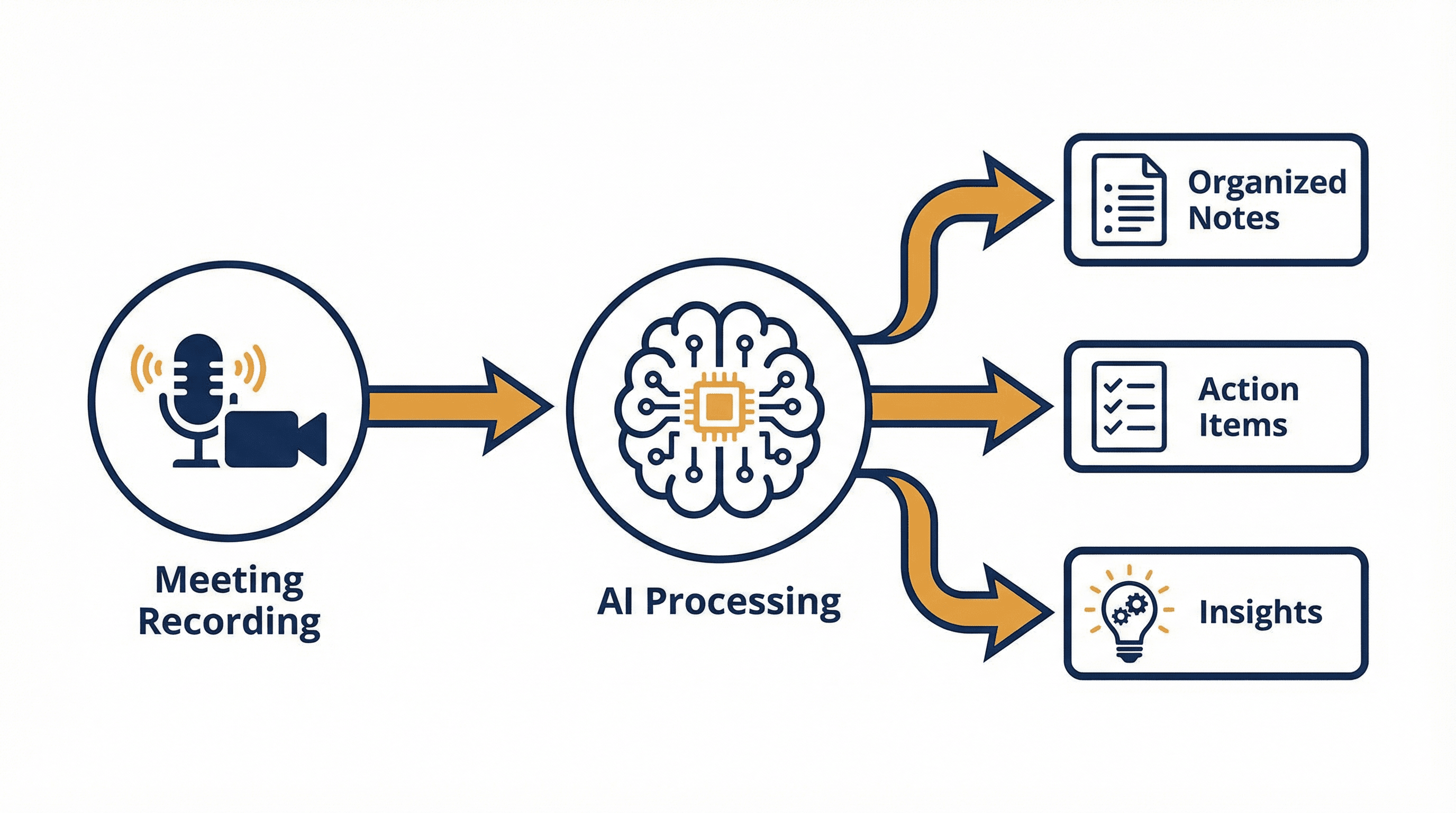
A typical AI meeting assistant workflow: record, transcribe, analyze, and distribute.
An AI meeting assistant is not just a transcription button. It is a workflow layer that sits on top of scheduling, conversation capture, summarization, and follow-up, automating the repetitive work that currently drains attention. In practice, that changes several parts of the meeting lifecycle.
Real-time transcription with speaker identification
Modern AI transcription has moved well beyond the clunky, error-riddled speech-to-text of five years ago. Today's models can transcribe live conversations with accuracy rates exceeding 95%, while simultaneously identifying who said what. This means you get a complete, searchable record of every meeting, not a paraphrased summary filtered through one person's perspective, but a verbatim account attributed to specific participants.
This matters most for asynchronous teams. A developer in Berlin who missed a 9 AM EST product review does not need another catch-up call. They can review the transcript, scan the summary, and move forward quickly. That use case pairs naturally with a stronger meeting follow-up process when decisions need to be communicated beyond the attendees.
Intelligent summarization and insight extraction
Transcription alone is not enough. A 60-minute meeting produces roughly 8,000 to 10,000 words of text. Very few people will read that end to end. The real value comes from what the AI does with the transcript: distilling it into structured summaries that highlight decisions made, topics discussed, concerns raised, and unresolved questions.
The best AI meeting tools go further. They identify patterns across multiple meetings, flagging recurring topics, tracking how decisions evolve over time, and surfacing connections that individual attendees might miss. At that point, the output becomes more than documentation. It becomes a usable layer of meeting intelligence.
Automated action item extraction
One of the most valuable capabilities is action item extraction: identifying commitments made during a discussion, turning them into concrete follow-ups, and attaching owners and deadlines where possible. When someone says, "I will have the pricing proposal ready by Friday," the AI captures that as a tracked task rather than a line in someone's notebook that will be forgotten by lunch.
According to research from Slack's Workforce Lab, 81% of desk workers who use AI tools report that their productivity has improved. The ability to automatically convert spoken commitments into tracked deliverables is a significant part of why.
Beyond Transcription: The Intelligence Layer
Most discussions about AI meeting assistants stop at transcription and notes. That is a narrow view of the category. The more interesting developments are happening at the intelligence layer, where AI transforms raw meeting data into organizational knowledge.
Knowledge graphs and topic tracking
Some advanced meeting platforms now build knowledge graphs from your meeting history. A knowledge graph maps the relationships between topics, decisions, people, and projects discussed across all your meetings over time. Instead of treating each meeting as an isolated event, it connects them into a searchable web of institutional knowledge.
Imagine asking, "What decisions have we made about Q3 pricing over the past two months?" and getting a useful answer in seconds. That is what a knowledge graph enables. It turns your meetings from a series of ephemeral conversations into a durable, queryable knowledge base.
Sentiment and engagement analysis
AI can also analyze the dynamics of a meeting beyond the words spoken. Who dominated the conversation? Were certain participants consistently silent? Did energy and engagement drop after the 30-minute mark? These meta-insights help managers understand not just what was discussed, but how the team is functioning during discussions.
Research from Gallup consistently shows that employee engagement is one of the strongest predictors of business performance. Meetings are one of the few touchpoints where engagement, or disengagement, is directly observable. AI makes that pattern more visible and easier to review over time.
Meeting ROI scoring
A useful concept starting to emerge is the meeting ROI score: an AI-assisted assessment of whether a meeting justified the time invested. Factors might include the number of decisions made, action items generated, participant engagement levels, and whether the meeting ran over its allotted time. Over time, this data helps organizations identify which recurring meetings are productive and which should be restructured or eliminated.
Key Takeaway
The real value of AI meeting assistants is not in replacing the meeting itself, but in building an intelligence layer that turns conversations into organizational knowledge, tracked actions, and measurable outcomes.
Why Real-Time Translation Matters for Global Teams
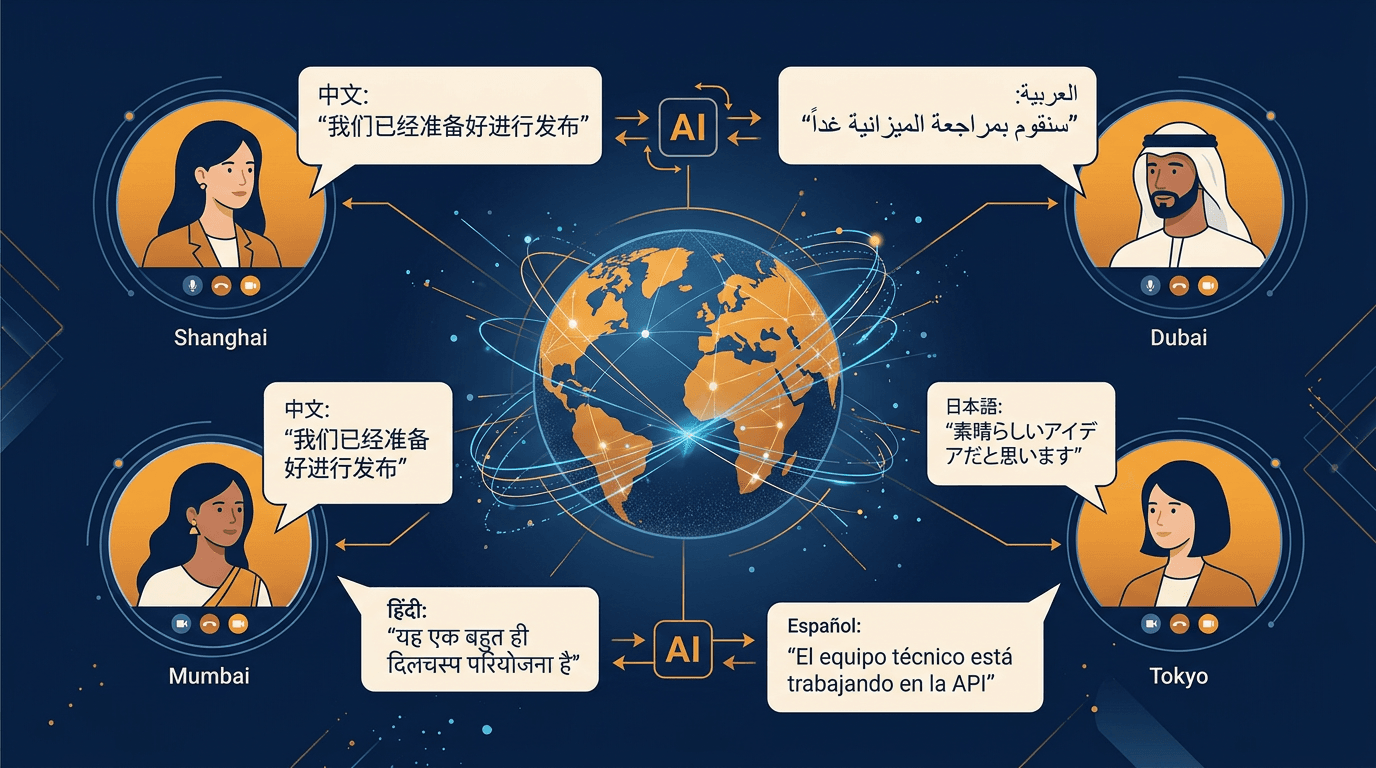
AI-powered translation enables seamless collaboration across languages and time zones.
One category of meeting friction receives less attention than it should, especially in SaaS buying guides: language barriers.
According to Statista, there are over 7,100 languages spoken worldwide, and even in English-dominant business environments, a significant portion of meeting participants are operating in a second or third language. That creates cognitive overhead on top of every other meeting challenge. Non-native speakers spend extra mental energy parsing idioms, formulating responses, and worrying about misunderstandings, all of which reduce their ability to contribute substantively.
Real-time AI translation changes that dynamic in a practical way. Instead of forcing participants to operate only in a less comfortable language, it can provide live subtitle translation so more people can follow the conversation with less friction.
This is not a niche feature for multinational corporations. It is increasingly relevant for any team that works across borders, hires internationally, or collaborates with global clients. A design agency in Los Angeles working with a manufacturing partner in Shenzhen. A SaaS startup in Berlin closing deals with customers in Tokyo. A distributed engineering team spanning Bangalore, Warsaw, and Toronto.
This is where a product like Vemory fits naturally. In addition to transcription, summaries, and action tracking, Vemory supports real-time subtitle translation across 50+ languages. Because the product is currently in open beta, teams can test these capabilities in a real workflow before committing to a broader rollout.
The combination of transcription, translation, and summarization in a single workflow means that a meeting conducted in English can automatically produce notes and action items accessible to team members who primarily work in Mandarin, Spanish, or Japanese, without any manual translation step. For global teams, that is not a cosmetic feature. It is a meaningful collaboration multiplier. It also overlaps with broader remote collaboration habits covered in virtual meeting etiquette guidance.
A Practical Framework for Better Meetings
Technology alone will not repair broken meeting culture. AI helps most when it is paired with a few simple operating rules. Here is a framework for rethinking how your team approaches meetings, designed to work alongside AI tools rather than independently of them.
Step 1: Audit your current meeting load
Before changing anything, understand what you are working with. For one week, have each team member log every meeting they attend, its stated purpose, and whether it produced a clear outcome. Many teams discover that 30-40% of recurring meetings no longer serve their original purpose well. A useful way to diagnose that is to compare meeting types, expected outcomes, and whether the session actually produced useful next steps.
Step 2: Classify every meeting by type
Not all meetings are created equal, and different types benefit from AI in different ways. For example, recurring team check-ins often improve when leaders use sharper morning meeting questions instead of generic status prompts.
| Meeting Type | Primary Purpose | How AI Helps |
|---|---|---|
| Status Updates | Share progress, surface blockers | Can often be replaced entirely by async AI summaries of project channels |
| Decision Meetings | Evaluate options, commit to a direction | AI captures decisions and assigns follow-up tasks with deadlines |
| Brainstorms | Generate ideas, explore possibilities | AI transcribes and organizes ideas by theme for post-session review |
| One-on-Ones | Coaching, feedback, relationship building | Private summaries help managers track commitments and growth areas |
| Client/External Calls | Presentations, negotiations, support | Automated notes and follow-up drafts ensure nothing slips through cracks |
Step 3: Set a "meeting purpose" policy
Require every meeting invite to include a one-sentence purpose statement and a list of expected outcomes. It sounds basic, but research from the Harvard Business Review suggests that meetings with clear goals and agendas tend to be more productive than those without them. The discipline of writing a purpose statement also forces organizers to question whether a meeting is the right format in the first place.
Step 4: Deploy AI as the default note-taker
Where appropriate, remove the default expectation that a human must take notes manually in every meeting. Let AI handle transcription, summaries, and action item extraction consistently. This immediately frees up one person per meeting to fully participate instead of documenting, and it ensures consistent, searchable records across the organization.
Step 5: Build a review cadence
Use the data your AI meeting assistant generates to run a monthly "meeting health" review. Look at metrics like: total meeting hours per team, percentage of meetings that generated action items, average meeting length versus scheduled length, and meeting attendance rates. These numbers will tell you whether your meeting culture is improving or regressing.
What to Check Before You Adopt an AI Meeting Assistant
Any tool that records, transcribes, and stores your team's conversations handles some of the most sensitive data in your organization. Strategic discussions, personnel decisions, client negotiations, product roadmaps: all of this passes through an AI meeting assistant. Security has to be part of the buying criteria from the beginning. Guidance from organizations like NIST also reinforces the importance of governance, transparency, and risk review when adopting AI systems in business workflows.
Before adopting any AI meeting tool, verify the following:
- Data encryption. Both in transit and at rest. Look for AES-256 encryption at minimum, which is the same standard used by financial institutions.
- Compliance certifications. SOC 2 Type II is the baseline for any SaaS tool handling sensitive business data. Depending on your industry, you may also need HIPAA, GDPR, or CCPA compliance.
- Data residency. Know where your meeting data is stored. Some organizations, particularly in the EU, have legal requirements about data remaining within specific geographic boundaries.
- Model training policy. Confirm in writing that your vendor does not use your meeting data to train their AI models. This is a detail many organizations miss during procurement. As highlighted by MIT Sloan, understanding how AI models are trained and where their data comes from is essential for responsible adoption.
- Access controls. Granular permissions should allow you to control who can view recordings, transcripts, and summaries. Not every meeting record should be accessible to every employee.
- Opt-in recording. Meeting recording should always be an opt-in decision. Participants should know when they are being recorded and have the ability to decline. This is not just good practice; it is a legal requirement in many jurisdictions.
How to Get Started Without Disrupting Your Workflow
One of the most common mistakes with meeting software is treating rollout as a big-bang transformation. It does not have to work that way. The most successful implementations start small and expand based on demonstrated value.
Start with one team, one workflow
Pick a single team, ideally one with a high meeting load, and introduce AI meeting assistance for their most frequent recurring meeting. A weekly product review, a daily standup, or a bi-weekly client sync are all good candidates. Let the team use the tool for four to six weeks before evaluating results and expanding.
Choose tools that fit your existing stack
The fastest path to adoption is a tool that integrates with the video conferencing platform you already use. Whether your team lives in Zoom, Google Meet, or Microsoft Teams, the AI assistant should plug in seamlessly, requiring minimal behavior change from participants. If Zoom is your main workflow, it also helps to standardize the operational side of scheduling meetings correctly so the capture and follow-up layer stays consistent.
That is one reason Vemory is worth evaluating in this category. Alongside transcription, summaries, action item tracking, and real-time translation, it integrates with Zoom, Google Meet, Microsoft Teams, Slack, and a wide range of workplace tools. Its open beta also lowers the barrier to testing the workflow with a real team before making a budget decision.
Measure before and after
Before you start, establish baseline metrics: how many hours does the team spend in meetings per week? How long does it take to distribute notes and action items after a meeting? How often do action items fall through the cracks? Measure these same metrics after four weeks of AI assistance. Those before-and-after numbers will do more to justify broader adoption than any vendor slide deck.
Educate on collaborative intelligence
Some team members will be skeptical or even anxious about an AI tool joining their meetings. Address this directly. Frame AI as a collaborative intelligence layer that removes clerical overhead so people can focus on judgment, discussion, and execution. The goal is not to surveil meetings or replace participants; it is to ensure that the valuable work happening in conversations does not get lost.
As Slack's research on collaborative intelligence highlights, the teams seeing the greatest productivity gains from AI are the ones that view it as an augmentation of human capabilities rather than a replacement.
Want to Make Meetings Less Expensive and More Actionable?
Start with one team, measure the operational impact, and decide based on real workflow results rather than vendor promises.
Explore Vemory During BetaFrequently Asked Questions
What is an AI meeting assistant and how does it work?
An AI meeting assistant is a software tool that uses artificial intelligence to automate meeting-related tasks such as transcription, note-taking, summarization, and action item tracking. It typically joins your video call (on platforms like Zoom, Google Meet, or Microsoft Teams), records the audio, transcribes it in real time with speaker identification, and then uses large language models to generate structured summaries, extract decisions, and assign follow-up tasks. The goal is to reduce manual note-taking so participants can stay more focused on the conversation.
Are AI meeting assistants accurate enough to replace human note-takers?
Modern AI transcription engines achieve accuracy rates of 95% or higher for clear audio in supported languages. For structured tasks like extracting action items and decisions, leading tools report accuracy above 90%. While AI may occasionally miss nuance or context-dependent meaning, it captures significantly more detail than a human note-taker who is simultaneously trying to participate in the discussion. Many teams find that AI-generated notes are more complete and consistent than manual alternatives.
Is it legal to record meetings with AI?
Recording laws vary by jurisdiction. In most U.S. states and many countries, you need at least one-party consent, while some jurisdictions require all-party consent. Best practice is to always notify participants that a meeting is being recorded and obtain explicit consent. Well-designed AI meeting assistants typically include recording notices and consent-oriented workflows. For cross-border meetings, legal review is still important.
Will my meeting data be used to train AI models?
This depends entirely on the vendor. Some providers use customer data to improve their models, while others explicitly commit to not training on your data. Always check the vendor's data processing agreement and privacy policy before adoption. For sensitive business discussions, choose a provider that contractually guarantees your data will not be used for model training and that offers data deletion options.
How do AI meeting assistants handle multiple languages?
Advanced AI meeting assistants support multilingual transcription and real-time translation. For example, some tools can transcribe a meeting conducted in English while simultaneously generating subtitles or summaries in other languages like Mandarin, Spanish, or Japanese. The quality of multilingual support varies between providers, so if your team operates across languages, this should be a key evaluation criterion. Leading platforms may support 50 or more languages, although quality varies by language pair and meeting conditions.
What should I look for when choosing an AI meeting assistant?
Focus on five criteria: (1) Integration with your existing video conferencing and project management tools; (2) Accuracy of transcription and action item extraction; (3) Security certifications and data handling practices; (4) Language support if your team works across borders; and (5) Ease of adoption, meaning how little behavior change is required from your team. A free trial or beta period is especially useful because it lets you test these factors inside your real workflow before committing.