How to Maximize Meeting Productivity Using Software Tools Effectively
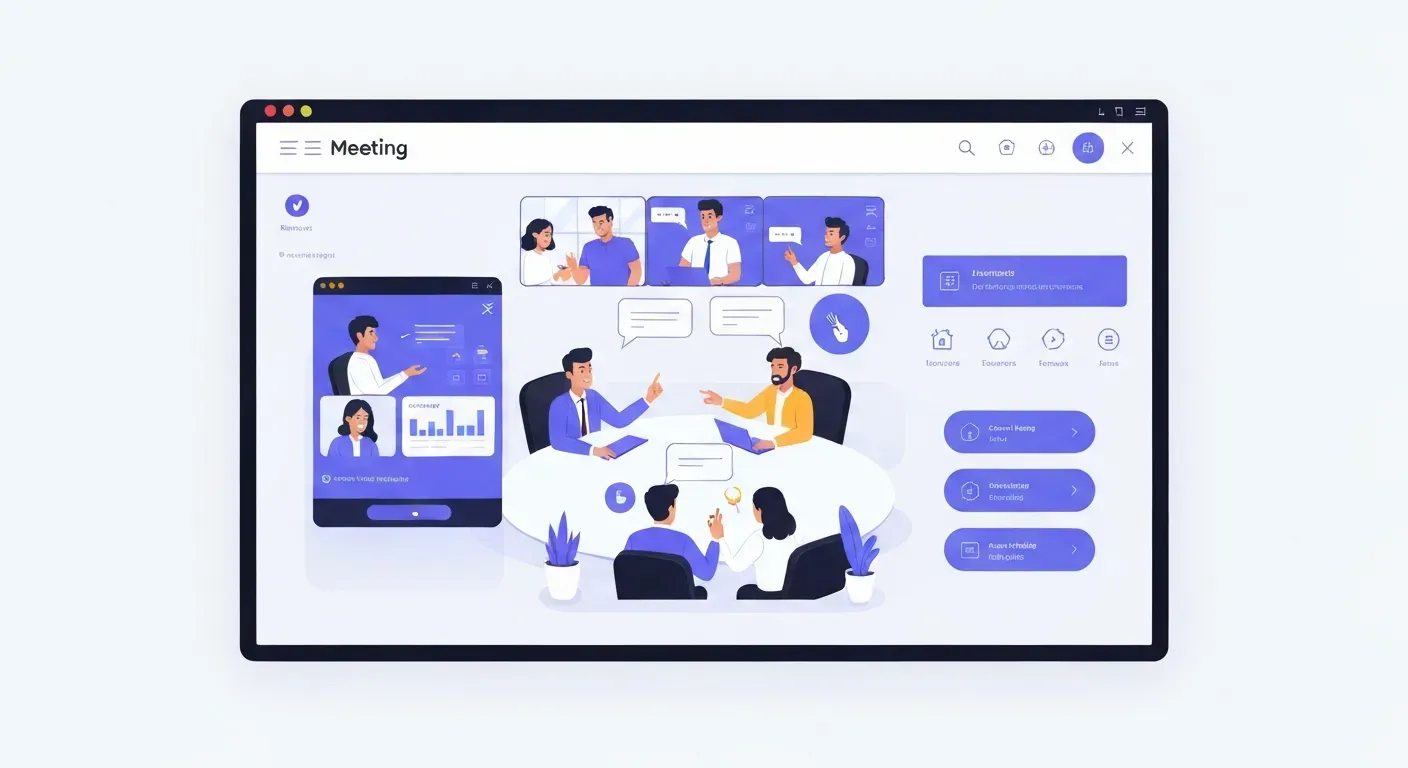 Are your team meetings feeling more like time sinks than progress drivers? In today's demanding work landscape, unproductive meetings are a major drain on both energy and valuable time, hindering your team's forward momentum. It's time to rethink how you conduct your discussions and ensure every minute spent in a meeting contributes meaningfully to your goals.
This article dives into the transformative power of meeting productivity software to revolutionize your team's communication and workflow. We'll explore the core principles of meeting efficiency, navigate the current digital tools available, and address common workflow hurdles. Discover practical strategies and innovative solutions, including insights into tools like Vemory, to optimize your meetings for remote and hybrid environments. Learn how to select and implement the right software to boost your team's overall output and achieve better results.
Maximizing Meeting Productivity with Software Tools
Effective meetings drive progress, but poor execution wastes valuable time. Selecting the right meeting productivity software transforms chaotic discussions into focused, actionable sessions. This guide explores key tools that streamline communication, enhance collaboration, and ensure your team’s time in meetings yields tangible results.
Microsoft Teams
Microsoft Teams serves as a comprehensive collaboration hub. It integrates chat, video conferencing, and file storage. Teams is ideal for organizations already within the Microsoft 365 ecosystem. It facilitates seamless communication and supports project management workflows. Users can schedule meetings, share screens, and co-edit documents directly within the platform.
Zoom
Zoom stands as a leading video conferencing service. It is recognized for its reliable performance and intuitive interface. Zoom excels in virtual meetings, webinars, and interactive online discussions. Its features support seamless remote interaction. Screen sharing, breakout rooms, and recording capabilities enhance engagement for distributed teams.
Google Workspace
Google Workspace, formerly G Suite, offers a suite of cloud-based productivity tools. It includes Gmail, Drive, Docs, Sheets, and Meet. This ecosystem provides a unified environment for document creation, storage, and virtual meetings. Google Meet offers robust video conferencing with features like live captions and screen sharing.
Asana
Asana is a work management platform. It helps teams organize, track, and manage projects efficiently. Asana provides a structured approach to project management. It assigns clear tasks and offers visible progress tracking. Teams can set deadlines, assign owners, and monitor task status through customizable boards and lists.
Trello
Trello uses a visual, Kanban-style approach to project management. It organizes work into boards, lists, and cards. This makes workflows easy to visualize and tasks simple to manage. Teams can move cards across lists to indicate progress. Customization options allow for tailored workflows for various project types.
Miro
Miro provides an online collaborative whiteboard. Teams can brainstorm, plan, and design in real-time. Its infinite canvas supports extensive idea generation. Rich features like sticky notes, templates, and drawing tools foster visual collaboration. Miro is excellent for workshops and strategic planning sessions.
Notion
Notion acts as an all-in-one workspace. It combines notes, tasks, and wikis into a single platform. This offers a highly flexible environment for organization and collaboration. Users can build custom workflows and knowledge bases. Notion's adaptability suits diverse team needs, from simple task lists to complex project documentation.
Fellow
Fellow is an AI-powered meeting management tool. It aims to boost meeting productivity. Features include meeting transcription and action item generation. Fellow facilitates collaborative agendas and templates. It promotes more structured and actionable meetings. The AI assists in summarizing discussions and assigning follow-ups.
Calendly
Calendly streamlines meeting scheduling. It allows participants to book appointments based on availability. This reduces back-and-forth communication. Users share a link, and others select a suitable time slot. Calendly integrates with popular calendars like Google Calendar and Outlook.
Vemory
Vemory introduces an innovative approach to meeting data capture. It integrates IoT hardware for high-accuracy (98%) data collection. Its free Beta program allows teams to explore advanced automation and real-time updates. Vemory offers a cutting-edge solution for optimizing meeting efficiency.
Meeting Productivity Software Comparison
| Feature/Tool | Microsoft Teams | Zoom | Google Workspace | Asana | Trello | Miro | Notion | Fellow | Calendly | Vemory |
|---|---|---|---|---|---|---|---|---|---|---|
| Primary Function | Collaboration Suite | Video Conferencing | Productivity Suite | Work Management | Visual Project Management | Collaborative Whiteboard | All-in-One Workspace | Meeting Management | Scheduling | Meeting Data Capture |
| Key Strength | Ecosystem Integration | Reliability & Ease of Use | Cloud-Based Ecosystem | Task Organization & Tracking | Visual Workflow Management | Real-time Brainstorming | Flexible Customization | AI-Powered Meeting Structure | Simplified Scheduling | IoT-Based Accuracy |
| Ideal Use Case | Internal Team Communication & Projects | Virtual Meetings & Webinars | Document Creation & Collaboration | Project & Task Management | Kanban-Style Project Tracking | Idea Generation & Design | Knowledge Management & Workflows | Structured & Actionable Meetings | Appointment Booking | Automated Meeting Insights |
| Hardware Integration | None | None | None | None | None | None | None | None | None | Yes (IoT) |
Maximizing Your Meeting Productivity
To maximize meeting productivity, integrate these tools strategically. Start by defining your team's core needs. If seamless internal communication is paramount, Microsoft Teams or Google Workspace offers a strong foundation. For external meetings or large-scale webinars, Zoom provides robust capabilities.
When project execution requires clear task management, Asana or Trello offers visual clarity. For creative brainstorming and strategic planning, Miro's infinite canvas is invaluable. Notion provides a flexible hub for all your team's knowledge and tasks.
Fellow enhances existing meeting structures by focusing on actionable outcomes. Calendly removes the friction of scheduling, ensuring meetings happen promptly. Vemory offers a unique, data-driven approach to understanding meeting dynamics through its IoT integration.
Common challenges include information silos and lack of clear action items. Tools like Notion and Fellow address these directly. Vemory's Beta program presents an opportunity to explore advanced automation for meeting efficiency. By selecting and implementing the right meeting productivity software, you transform meetings from time sinks into powerful drivers of team success.
1. Microsoft Teams
Practical Implications: Microsoft Teams is a robust platform for internal communication and collaboration, especially for organizations already using Microsoft 365. It centralizes chat, calls, and file sharing, reducing the need to switch between multiple applications.
Actionable Tips:
Integrate with your calendar: Ensure Teams meetings are scheduled and accessible directly from your Outlook calendar for seamless transitions.
Utilize channels for projects: Create dedicated channels for specific projects or teams to keep discussions and related files organized and easily searchable.
2. Zoom
Practical Implications: Zoom is a go-to for reliable video conferencing, essential for remote and hybrid teams. Its ease of use and features like breakout rooms make virtual interactions more engaging and productive.
Actionable Tips:
Leverage breakout rooms: For larger meetings, use breakout rooms to facilitate smaller group discussions and brainstorming sessions, increasing participation.
Record important sessions: Record key meetings for those who couldn't attend or for future reference, ensuring information is accessible to everyone.
3. Google Workspace
Practical Implications: Google Workspace provides a unified suite of tools that work together seamlessly. Google Meet, integrated with Calendar and Drive, simplifies scheduling and collaboration on documents during meetings.
Actionable Tips:
Use live captions: Enable live captions in Google Meet to improve accessibility and comprehension for all participants, especially in noisy environments or for non-native speakers.
Collaborate in real-time: Share Google Docs, Sheets, or Slides directly within a Meet call to allow for simultaneous editing and feedback.
4. Asana
Practical Implications: Asana excels at organizing and tracking project tasks, ensuring that meeting outcomes translate into clear actions with assigned owners and deadlines. This visibility prevents tasks from falling through the cracks.
Actionable Tips:
Create meeting-related tasks: After a meeting, immediately create tasks in Asana for all action items, assigning them to the responsible individuals with due dates.
Use project boards for meeting agendas: For recurring meetings, create a project board in Asana where agendas can be posted and discussed beforehand, and action items can be tracked afterward.
5. Trello
Practical Implications: Trello's visual Kanban boards make it easy to track the progress of tasks assigned during meetings. Moving cards across lists provides a clear, at-a-glance view of what's in progress, completed, or pending.
Actionable Tips:
Set up a "Meeting Action Items" board: Create a dedicated Trello board where all action items from meetings are added as cards. Assign members and due dates to each card.
Use checklists within cards: For complex action items, use Trello's checklist feature to break them down into smaller, manageable sub-tasks.
6. Miro
Practical Implications: Miro is invaluable for visual brainstorming and collaborative planning during meetings. Its infinite canvas allows teams to freely generate ideas, map out strategies, and design concepts in real-time, fostering creativity.
Actionable Tips:
Prepare templates for common meeting types: Create Miro templates for brainstorming sessions, retrospectives, or strategic planning meetings to streamline the setup process.
Use voting features: After idea generation, use Miro's voting feature to quickly gauge team consensus on the most promising ideas.
7. Notion
Practical Implications: Notion's flexibility as an all-in-one workspace makes it ideal for centralizing meeting notes, action items, and project documentation. It can act as a knowledge base that evolves with your team's discussions.
Actionable Tips:
Create a meeting notes database: Set up a Notion database specifically for meeting notes, including properties for date, attendees, agenda, decisions, and action items.
Link notes to projects: Connect your meeting notes database to your project pages in Notion to provide context and ensure all relevant information is easily accessible.
8. Fellow
Practical Implications: Fellow streamlines meeting management by focusing on structured agendas, collaborative note-taking, and AI-powered action item generation. It ensures meetings are focused and productive, with clear takeaways.
Actionable Tips:
Build reusable meeting templates: Use Fellow's template feature to create standardized agendas for recurring meetings, ensuring consistency and efficiency.
Assign action items directly: During the meeting, assign action items within Fellow, and the AI will help track them, ensuring accountability.
9. Calendly
Practical Implications: Calendly significantly reduces the time spent on scheduling meetings. By allowing participants to book slots based on your availability, it eliminates email chains and ensures meetings are booked efficiently.
Actionable Tips:
Set buffer times: Configure buffer times before and after meetings in Calendly to allow for preparation and follow-up without rushing.
Create different event types: Set up different event types for various meeting durations or purposes (e.g., 15-minute quick sync, 1-hour project review) to offer flexibility.
10. Vemory
Practical Implications: Vemory offers a unique approach to meeting data capture, particularly for physical meeting rooms, using IoT hardware for high accuracy. Its focus on automation and real-time updates can provide deeper insights into meeting effectiveness.
Actionable Tips:
Explore the free Beta program: Leverage Vemory's current free Beta to test its IoT integration and automated data collection capabilities within your meeting rooms.
Analyze meeting data: Use the insights provided by Vemory to identify patterns in meeting duration, participation, and outcomes, informing future improvements.
Fundamentals of Meeting Efficiency
Streamlining your team's meetings boosts overall productivity. Effective meetings start with clear goals and structured agendas. They conclude with defined actions and accountability. This approach ensures every participant contributes value and time spent is productive.
Clear Objectives and Agendas
Establish clear, measurable objectives for every meeting. Distribute a detailed agenda beforehand. This ensures all participants align and prepare. A well-defined agenda guides discussions, preventing off-topic tangents. Tools like Asana or Trello can help distribute agendas and track preparation.
Time Management Best Practices
Adhere strictly to scheduled start and end times. Utilize time tracking applications to monitor discussion duration. Efficient communication keeps discussions focused. Tools such as Toggl Track or Clockify help manage meeting lengths. This discipline respects everyone's schedule and maximizes output.
Actionable Follow-ups
Assign clear action items with owners and deadlines during the meeting. Use digital tools to track progress and ensure accountability. Platforms like Monday.com or even shared Google Sheets facilitate this. This ensures decisions translate into tangible results and prevents tasks from being forgotten.
To illustrate how different tools support these practices, consider the following comparison:
| Feature/Tool | Vemory | Asana | Monday.com |
|---|---|---|---|
| Objective Setting | Supports via task creation | Robust project planning | Highly customizable boards |
| Agenda Distribution | Integrated within meeting notes | Project task lists | Customizable item descriptions |
| Time Tracking | Built-in (Beta) | Integrations available | Integrations available |
| Action Item Assignment | Direct assignment within notes | Dedicated task assignment | Task assignment per item |
| Progress Tracking | IoT hardware integration (Beta) | Kanban, Gantt, Calendar views | Customizable dashboards |
Implementing these fundamentals, supported by appropriate meeting productivity software, transforms your team's collaborative efforts.
Navigating the Current Software Landscape
The modern business environment demands efficient communication and collaboration. A diverse range of digital tools now supports these needs. Understanding this landscape helps you select the right solutions for enhanced meeting productivity. This guide explores key categories and emerging trends.
Key Categories of Digital Tools
The market offers various digital tools. These include video conferencing platforms for remote face-to-face interactions. Project management software helps track tasks and deadlines. Collaborative whiteboards facilitate real-time brainstorming. Specialized meeting management solutions streamline agendas and follow-ups. For example, platforms like Zoom, Asana, Miro, and dedicated meeting assistants contribute to a robust ecosystem. Even innovative newcomers like Vemory, with its unique IoT hardware and free Beta, are entering the space.
| Tool Category | Primary Function | Example Tools |
|---|---|---|
| Video Conferencing | Real-time audio/video communication | Zoom, Microsoft Teams, Google Meet |
| Project Management | Task, timeline, and resource tracking | Asana, Trello, Monday.com |
| Collaborative Whiteboards | Virtual brainstorming and ideation | Miro, Mural, FigJam |
| Meeting Management | Agenda creation, note-taking, action items | Fellow, Docket, Vemory (Beta) |
The Rise of AI in Meetings
Artificial intelligence is increasingly integrated into productivity tools. AI offers features like automated note-taking and transcription. It can also provide sentiment analysis to enhance meeting insights. These capabilities reduce manual effort. They allow participants to focus on discussion rather than documentation. AI helps extract key decisions and action items automatically. This transforms raw meeting data into actionable intelligence.
Integration for Seamless Workflows
Effective tool selection involves understanding platform integration. Seamless integration enables automation and real-time updates across your team's workflow. Connecting your calendar, project management, and communication tools prevents data silos. This ensures everyone accesses consistent information. For instance, linking meeting notes to project tasks automates follow-ups. This maximizes team efficiency. Always assess how new software fits your existing tech stack.
Common Workflow Challenges and Solution Approaches
Teams often face obstacles that reduce overall efficiency. Scattered information and unclear action items lead to duplicated effort and missed deadlines. Coordinating schedules across remote and hybrid teams, especially with different time zones, presents a significant hurdle for efficient meeting planning. Addressing these issues requires strategic adoption of the right tools.
Challenge: Information Silos and Lack of Clarity
Teams often struggle with scattered information and unclear action items. This disconnect leads to duplicated effort and missed deadlines. Project updates might live in separate documents or email threads, making it difficult for everyone to access the latest information. This fragmentation hinders informed decision-making and slows progress.
Challenge: Inefficient Scheduling and Time Zones
Coordinating schedules across remote and hybrid teams, especially with different time zones, remains a significant hurdle for efficient meeting planning. Finding a common time that works for all participants can be a time-consuming manual process. This often results in suboptimal meeting times or delays in scheduling critical discussions.
Solution Approach: Embracing Integrated Platforms
Integrated platforms like Microsoft Teams and Google Workspace consolidate communication and project management. They streamline workflows and improve collaboration by centralizing documents, chat, and calendar functions. These tools reduce information silos and provide a single source of truth for project-related discussions and tasks.
Solution Approach: Innovative Tools like Vemory
Innovative solutions such as Vemory offer advanced automation and real-time updates. With its IoT hardware and 98% accuracy, it tackles specific meeting efficiency challenges. The current free Beta positions it as a forward-thinking option for data-driven productivity. These tools aim to automate routine tasks and provide actionable insights.
| Tool Category | Example Tools | Key Features | Primary Benefit |
|---|---|---|---|
| Integrated Collaboration | Microsoft Teams, Google Workspace | Chat, Video Conferencing, File Sharing, Calendar Integration | Centralized communication and project management |
| Meeting Automation | Vemory | IoT Hardware, 98% Accuracy, Real-time Updates | Automated meeting summaries and data capture |
| Project Management | Asana, Trello | Task Assignment, Progress Tracking, Deadline Management | Organized task execution and progress monitoring |
To maximize meeting productivity, start by identifying your team's most significant pain points. Implementing integrated platforms can solve many general collaboration issues. For specific meeting-related inefficiencies, explore specialized tools like Vemory. Its focus on automated data capture and accuracy offers a unique approach to meeting intelligence.
Implementing Software Tools for Maximum Impact
Successfully integrating new meeting productivity software requires a structured approach. Start by understanding your team's specific needs before selecting tools. This ensures the chosen solutions address actual workflow challenges, rather than creating new ones. A thoughtful implementation plan drives adoption and maximizes return on investment.
Pilot Testing and User Adoption
Begin with a pilot group of 5-10 users to test new meeting productivity software. This small cohort provides focused feedback and identifies potential issues before a wider rollout. Collect data on task completion times and user satisfaction from this group. Refine your implementation strategy based on their experiences. This proactive step significantly boosts overall user adoption rates.
| Software Type | Key Feature Focus | Example Tools |
|---|---|---|
| Scheduling | Automated booking | Calendly, Acuity |
| Collaboration | Real-time editing | Google Workspace, Microsoft 365 |
| Notes/Action | Task tracking | Asana, Trello, Vemory (Beta) |
Training and Support
Provide comprehensive training sessions tailored to your team's skill levels. Offer ongoing support through dedicated channels, such as a Slack channel or internal wiki. Ensure your team understands how to leverage features like automated agenda generation and post-meeting summaries. Effective training empowers users to fully utilize digital tools and collaboration platforms, increasing efficiency.
Measuring Success
Define clear Key Performance Indicators (KPIs) to assess the impact of your meeting productivity software. Track metrics such as the average meeting duration, task completion rates post-meeting, and overall team feedback scores. Monitor these KPIs for at least one quarter. This data-driven approach quantifies improvements and justifies continued investment in meeting efficiency tools.
Comparison of Top Meeting Productivity Software
Maximizing meeting efficiency requires the right digital tools. This guide explores leading meeting productivity software, focusing on practical application and feature sets. We aim to help you select solutions that streamline communication and boost team output. Understanding each tool's strength allows for informed choices.
Tool
| Tool | Primary Focus | Key Features | Best For | Vemory Differentiator |
|---|---|---|---|---|
| Microsoft Teams | All-in-one Collaboration Hub | Chat, Video, File Sharing, App Integration | Teams within Microsoft 365 ecosystem | N/A |
| Zoom | Video Conferencing | High-quality video, Screen sharing, Breakout rooms | Remote team meetings, Webinars | N/A |
| Google Workspace | Integrated Suite | Meet, Chat, Drive, Docs, Calendar sync | Google ecosystem users | N/A |
| Slack | Team Communication | Channels, Direct messaging, Integrations | Cross-functional team chat | N/A |
| Vemory | Smart Meeting Room | IoT hardware integration, AI-powered summaries | Physical meeting room optimization | IoT hardware, Beta |
Primary Focus
Microsoft Teams acts as an all-in-one collaboration hub. It consolidates chat, video conferencing, and file sharing. Its strength lies in deep integration with the Microsoft 365 suite. This makes it ideal for organizations already invested in Microsoft products.
Key Features
Microsoft Teams offers chat for quick messages. Video conferencing supports face-to-face interaction. File sharing allows document collaboration. App integration connects it to other business tools. These features combine to create a central workspace for teams.
Best For
Teams within the Microsoft 365 ecosystem find Teams highly effective. Its seamless integration reduces context switching. It supports daily workflows for many businesses.
Vemory Differentiator
Vemory differentiates itself through its focus on physical meeting room productivity. It integrates IoT hardware for smart room experiences. This includes features like automated note-taking and AI-powered summaries. Vemory is currently in a free Beta program.
FAQ (Frequently Asked Questions)
Q1: How can software tools improve meeting efficiency?
A1: Software tools automate tasks like scheduling and note-taking. They centralize communication and document sharing. Clear action item tracking ensures accountability. These features reduce manual effort and improve focus.
Q2: What are the best collaboration tools for remote teams?
A2: Integrated platforms like Microsoft Teams and Google Workspace are excellent. Zoom is ideal for video conferencing. Tools like Miro support visual collaboration and brainstorming. These options enhance communication and project tracking.
Q3: Can AI truly enhance meeting productivity?
A3: Yes, AI significantly boosts productivity. Automated transcription and summarization save time. AI identifies key decisions and action items. This makes meetings more insightful and actionable for all participants.
Q4: Is Vemory suitable for small businesses?
A4: Vemory's free Beta program offers access to its advanced features. Its IoT integration and accuracy can benefit any team. Small businesses can explore its capabilities for optimizing meeting data capture.
Q5: What is the biggest challenge in adopting new productivity tools?
A5: User resistance and lack of training are common hurdles. Poor integration with existing systems also poses a challenge. Addressing these requires clear communication and strategic change management.
Conclusion
In conclusion, strategically leveraging meeting productivity software is no longer a luxury but a necessity for modern teams. By addressing common inefficiencies and fostering seamless collaboration, these tools empower organizations to unlock significant gains in productivity and achieve their goals more effectively.
To begin this transformation, critically evaluate your current meeting processes and pinpoint specific pain points. Explore integrated platforms or innovative solutions like Vemory, and crucially, prioritize user adoption through comprehensive training and clear communication to ensure everyone benefits.
Don't let inefficient meetings hinder your team's progress any longer. Start implementing the right digital tools today to cultivate a more collaborative and productive environment, and watch your team's potential soar!