What to Watch Out For With AI Note Taking for Google Meet
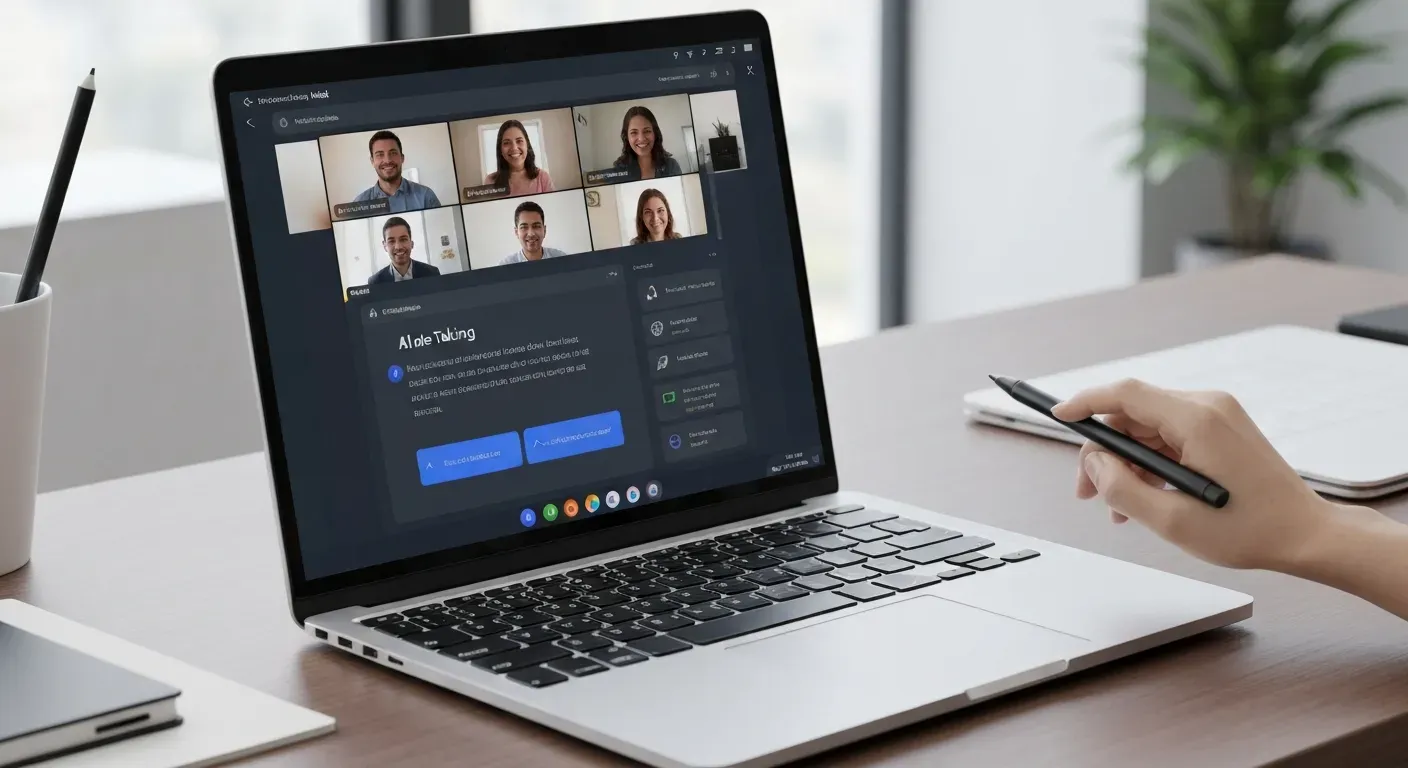 Have you ever found yourself frantically typing during a video call, only to realize you missed a crucial decision made moments later? Trying to balance active participation with detailed documentation is a frequent and exhausting struggle for busy professionals. Unfortunately, this multitasking often leads to fragmented records and forgotten action items that inevitably slip through the cracks.
Fortunately, modern technology offers a powerful, seamless solution to capture every specific detail without you ever lifting a finger. By leveraging AI note taking for Google Meet, you can completely automate the tedious process of manual transcription and summarization. This innovation allows you to stay fully present in the conversation while ensuring a perfect record is generated in the background.
However, not all automated assistants are created equal, and selecting the right tool for your workflow requires careful consideration. In this guide, we will explore the essential features, benefits, and potential pitfalls of these advancing virtual meeting tools. You will discover exactly how to transform raw audio into actionable insights that significantly boost your team’s overall productivity.
The Rise of AI Note Taking for Google Meet
In the today's fast-paced professional environment, effective meeting notes are crucial for productivity and strategic decision-making. Traditional manual note-taking often leads to information overload, missed details, and a lack of focus during the actual meeting. Professionals frequently struggle to balance active participation with the need to document every specific detail, resulting in fragmented records.
Understanding the Need for AI Meeting Assistants
AI meeting assistants offer a powerful solution by automating the capture process. This allows participants to engage more fully in discussions while ensuring comprehensive capture of information. Rather than acting as scribes, attendees can contribute valuable insights, confident that the technology is recording the dialogue.
The shift from manual to automated methods offers distinct advantages:
| Feature | Manual Note-Taking | AI Meeting Assistants |
|---|---|---|
| Participant Focus | Divided attention | 100% engagement in discussion |
| Data Accuracy | Prone to human error and bias | High-fidelity, verbatim capture |
| Processing Speed | Limited by typing speed | Real-time processing |
| Post-Meeting Utility | Static, often unorganized notes | Searchable text with timestamps |
Key Benefits of AI Transcription and Summarization
Advanced AI note taking for Google Meet provides real-time transcription, instantly converting spoken words into searchable text. This capability is fundamental to achieving better meeting efficiency, as users can quickly locate specific quotes or data points long after the call ends.
Beyond basic logging, these tools offer AI summarization, automatically extracting key decisions and action items. This significantly boosts meeting productivity by turning conversations into structured tasks. Vemory aims to leverage these advancements to enhance user experience, ensuring critical workflows are streamlined.
By adopting these technologies, organizations can transform their meeting culture. The transition from manual entry to automated intelligence ensures that every Google Meet session results in clear, actionable outcomes without the administrative burden.
Top 7 AI Note Takers for Google Meet in 2026
In the evolving landscape of remote work, maximizing efficiency during virtual conferences is critical. By 2026, the integration of AI note taking for Google Meet has shifted from a luxury to a necessity for productive teams. These advanced tools ensure that every decision, action item, and nuance is captured accurately, allowing professionals to remain fully engaged in the conversation rather than being distracted by the mechanics of typing.
1. Notion
Notion is widely recognized as a comprehensive workspace, but it plays a unique and vital role in meeting management. While it is a broader platform, it can be significantly optimized for meeting notes through its robust organization and collaboration features. It serves as the central hub where raw data becomes structured knowledge.
Its customizable templates allow for the structured documentation of discussions, action items, and decisions. While it may not record audio directly, Notion complements AI transcription services perfectly. By importing transcripts into Notion, teams can create a complete meeting summary that is easily accessible and actionable.
Practical Implications: Notion acts as a central repository for meeting intelligence, transforming raw AI-generated transcripts into organized, actionable project documentation.
Actionable Tips:
2. Krisp AI Meeting Assistant
Krisp AI Meeting Assistant stands out by offering comprehensive AI-powered note-making capabilities. A distinct advantage is its bot-free meeting recording, which feels less intrusive during calls. It features real-time transcription that captures the flow of conversation as it happens, ensuring no detail is missed.
Beyond simple recording, Krisp excels at transforming raw meeting notes into professional summaries. It automatically identifies action items, ensuring nothing slips through the cracks. Furthermore, its renowned AI-powered noise cancellation ensures clear audio. This clarity is vital for effective Google Meet transcription, as it significantly improves the accuracy of the AI analysis.
Practical Implications: Krisp enhances the quality of AI transcription by ensuring clear audio input and provides a less intrusive recording experience, leading to more accurate and actionable summaries.
Actionable Tips:
3. Fireflies.ai
Fireflies.ai is a robust AI-powered tool designed to integrate smoothly with Google Meet. It automatically transcribes meetings in real-time, removing the need for manual input. This seamless connection makes it a favorite for teams looking to automate their workflow without technical friction.
The software offers advanced speaker identification, distinguishing between different voices to clarify who said what. It aims to provide accurate and actionable meeting notes, ensuring that the context of the conversation is preserved. This makes Fireflies.ai a valuable note-taking software for enhancing meeting productivity across the board.
| Feature | Krisp AI | Fireflies.ai | Sembly AI |
|---|---|---|---|
| Primary Strength | Noise Cancellation & Bot-Free | Speaker Identification | Sentiment Analysis |
| Transcription Type | Real-time | Real-time | Automated Post-Call |
| Output Focus | Professional Summaries | Actionable Notes | Insightful Analysis |
| Language Support | Standard | Standard | Multi-language |
Practical Implications: Fireflies.ai provides clear attribution for spoken words, making it easier to follow discussions and assign action items accurately.
Actionable Tips:
4. Otter.ai
Otter.ai continues to be a leader in the space, providing smart summaries of meetings. It utilizes advanced voice analysis to detect action items and key decisions automatically. This feature allows participants to review the most critical parts of a meeting without listening to the entire recording.
Its AI-powered capabilities allow for quick searching of transcripts. Users can locate specific keywords or topics instantly, making it easier to extract key information from your Google Meet calls. This searchability is a major factor in improving overall meeting efficiency for busy professionals.
Practical Implications: Otter.ai's searchability and automatic summarization allow for rapid review of meeting content, saving time and ensuring key takeaways are easily accessible.
Actionable Tips:
5. Sembly AI
Sembly AI goes beyond basic transcription to deliver automated meeting summaries enriched with insightful analysis. It is designed to help teams understand the deeper context of their discussions. The tool also excels at identifying action items, ensuring accountability after the call ends.
A unique feature of Sembly is its support for multiple languages, making it ideal for international teams. Additionally, it features AI-driven sentiment analysis. This offers a comprehensive solution for understanding meeting outcomes and team dynamics, ultimately boosting meeting productivity.
Practical Implications: Sembly AI provides deeper insights into meeting dynamics and outcomes through sentiment analysis and multi-language support, beneficial for diverse teams.
Actionable Tips:
6. Google Docs Voice Typing
For those seeking a native solution, Google Docs Voice Typing offers a built-in method for real-time transcription directly within Google Docs. It eliminates the need for third-party software installations. This accessibility makes it an immediate option for users already within the Google ecosystem.
This hands-free operation can significantly speed up note-taking during Google Meet calls. While it serves as a basic form of automatic note taking compared to specialized AI tools, it is highly effective for capturing raw text quickly and easily.
Practical Implications: Google Docs Voice Typing offers a readily available, free transcription method for those already within the Google ecosystem, providing a simple way to capture spoken words.
Actionable Tips:
7. Vemory AI Meeting Assistant
Vemory is designed to be a seamless AI meeting assistant, specifically focusing on automatic note taking. Its primary goal is to deliver concise meeting summaries directly from your Google Meet calls. This targeted approach ensures that users receive exactly what they need without unnecessary clutter.
It aims to enhance meeting efficiency by providing accurate AI transcription and real-time transcription capabilities. By handling the documentation, Vemory ensures that your focus remains on the conversation, not on manual note-taking. Furthermore, Vemory integrates with popular virtual meeting tools to streamline your workflow effectively.
Practical Implications: Vemory offers a focused solution for automated note-taking and summarization, streamlining Google Meet calls and allowing users to concentrate on the discussion.
Actionable Tips:
Selecting the right tool depends on whether your priority is sentiment analysis, noise cancellation, or seamless integration. However, all these solutions share a common goal: to leverage AI to make your Google Meet sessions more productive and actionable.
Choosing the Right AI Note Taking Tool for Google Meet
Selecting the ideal AI note taking for Google Meet involves more than just recording audio; it is about transforming conversations into actionable assets. The right tool should seamlessly blend into your existing workflow, ensuring that technology enhances rather than hinders your meeting productivity.
Key Features to Consider
When selecting an AI note taker, prioritize capabilities that drive efficiency. Look for real-time transcription accuracy and automatic meeting summary generation to reduce manual work. Essential features include precise action item identification and robust speaker differentiation, which clarify who said what during complex discussions.
"The best note-taking software will align with your specific workflow and needs for meeting productivity."
Integration and Compatibility
Ensure the chosen AI meeting assistant integrates seamlessly with Google Meet and other platforms you regularly use, such as CRM systems or project management boards. Compatibility with your specific operating system is also crucial for a smooth experience, enhancing overall meeting efficiency by preventing technical friction.
Accuracy and Reliability of AI Transcription
The accuracy of AI transcription is paramount. You should look for tools that offer high accuracy rates, especially in noisy environments or during overlapping conversations. Real-time transcription capabilities should be robust enough to capture discussions effectively, forming the foundation for reliable meeting notes.
| Feature | Basic Transcription Tools | Advanced AI Note Takers |
|---|---|---|
| Accuracy in Noise | Low to Moderate | High (Voice Isolation) |
| Speaker ID | Often generic | Specific User Identification |
| Output Type | Raw Text Block | Structured Summaries & Action Items |
| Context Awareness | Literal Interpretation | Nuanced Understanding |
Privacy and Security Concerns
Consider the privacy policies and security measures of any AI note-taking app carefully. Understanding how your meeting recording data is stored, processed, and protected is essential, particularly for sensitive business discussions.
Ensure the tool complies with data protection standards. This security assessment is a critical factor when evaluating AI summarization tools to ensure your proprietary information remains confidential.
FAQ (Frequently Asked Questions)
Q1: Can AI tools accurately transcribe all my Google Meet calls?
A1: AI transcription accuracy is high but not perfect. Factors like audio quality, noise, and accents can affect results. A human review is recommended for critical records.
Q2: How do AI meeting assistants improve meeting productivity?
A2: They automate documentation and summarization, freeing participants to focus on discussions. Searchable transcripts and action item lists ensure follow-through.
Q3: What are the main differences between AI transcription and manual note-taking?
A3: Manual note-taking can lead to missed points and split focus. AI transcription captures conversations verbatim, offering superior completeness and instant, searchable output.
Q4: Is my data secure when using AI note-taking apps?
A4: Reputable apps use robust security and transparent policies. Review these to understand data handling. Platforms like Vemory prioritize data protection.
Conclusion
Adopting AI note taking for Google Meet offers a transformative solution for maximizing team productivity and overall meeting efficiency. By utilizing advanced features like AI transcription and automatic note taking, you can capture every critical detail while maintaining full engagement in your discussions. This technology ensures that no important insight is ever lost, paving the way for significantly more effective collaboration.
To get the most out of this technology, carefully evaluate the tools discussed to find the perfect fit for your team's specific workflow needs. Prioritize solutions that offer accurate Google Meet transcription and robust meeting summary generation to align strictly with your productivity goals. Selecting the right software is the crucial first step toward streamlining your follow-up actions and reducing administrative burdens.
Don't let valuable ideas slip away or get lost during your next virtual conference. Explore Vemory today to completely revolutionize your Google Meet experience with intelligent, automated documentation. Embrace the future of work now and unlock your team's full potential with the power of smart AI note taking.