AI Meeting Assistant: Benefits, Features, and Tips in 2026
See how an AI meeting assistant can help your team capture notes, summarize discussions, and keep action items organized in 2026.
What Is an AI Meeting Assistant?
In a busy meeting, it is easy to miss a decision, lose track of an action item, or leave with different people remembering different outcomes. That problem gets worse when you are trying to listen, contribute, and take notes at the same time.
That gap between the conversation and the written record is where meetings often become less useful. Teams waste time rebuilding context, clarifying ownership, and chasing follow-up that should have been captured the first time.
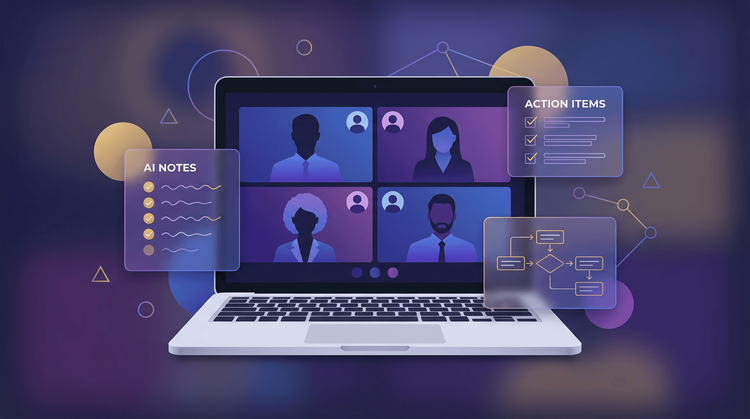
An AI meeting assistant helps by recording the conversation, generating a transcript, summarizing the discussion, and pulling out action items. Instead of splitting your attention between listening and note-taking, you can stay focused on the meeting itself.
Unlike a basic recorder, a modern tool like Vemory is built to make the meeting easier to use afterward. It can help organize notes, surface decisions, and make follow-up easier to manage across the team. If you want to see how that plays out after the meeting, Vemory’s guide to writing a follow-up email is a useful companion.
Key takeaway: A good AI meeting assistant should help your team leave meetings with clearer notes, clearer ownership, and less manual follow-up work.
How Do AI Notetakers Work?
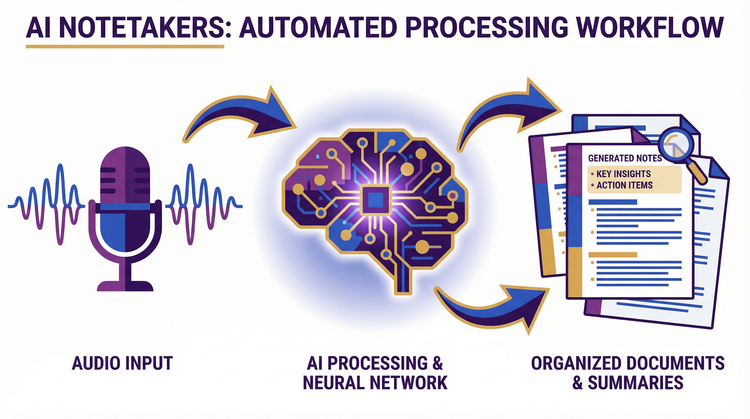
AI meeting assistants typically rely on a combination of technologies: speech recognition, natural language processing (NLP), and generative AI. Together, these components turn raw audio into structured, actionable meeting intelligence. Here's the step-by-step breakdown:
Step 1: Audio Capture and Speaker Identification
The AI meeting assistant joins your meeting — whether it's on Zoom, Google Meet, Microsoft Teams, or an in-person session via a connected IoT device. It captures the full audio stream and uses speaker diarization algorithms to distinguish who said what. This means your transcript is neatly attributed to individual speakers, not a jumbled wall of text.
Step 2: Real-Time Transcription
Advanced speech-to-text engines convert spoken words into written text in real time. Strong AI notetakers are designed to handle everyday meeting conditions, including multiple speakers, background noise, and industry-specific language. Multi-language support is also important for distributed teams.
Step 3: NLP Analysis and Summarization
Once the raw transcript is generated, NLP algorithms analyze the text to understand context, identify topics, detect sentiment, and extract the most important points. The AI then generates a concise summary that highlights key decisions, discussion themes, and notable moments — all within seconds of the meeting ending.
Step 4: Action Item Extraction
One of the most useful features is action item extraction. Instead of rebuilding next steps from memory, teams can review a cleaner record of who owns what and what needs to happen next.
Step 5: Knowledge Management and Search
Every meeting becomes a searchable, indexed knowledge resource. Need to recall what was decided about the Q3 budget in last Thursday's leadership meeting? Simply search your meeting library. Some tools also make past meetings easier to search, which helps teams revisit decisions without digging through long recordings or scattered notes.
7 Key Benefits of Using an AI Meeting Assistant
Color-coded notebooks and shorthand techniques have their place, but even the most disciplined notetaker can't match the speed and consistency of AI. Here are seven practical reasons teams use AI meeting assistants:
1. Reclaim Your Time
A meeting assistant can reduce the manual work that happens after a call, especially when teams need to organize notes, send summaries, and keep track of follow-up tasks.
2. Stay Fully Present in Conversations
Multitasking is a myth when it comes to meetings. When you're splitting attention between listening and writing, neither task gets your full cognitive capacity. In practice, splitting your attention between listening and writing usually makes both tasks worse. With an AI assistant handling documentation, you can listen actively, ask better questions, and contribute more meaningfully to the conversation.
3. Supercharge Team Collaboration
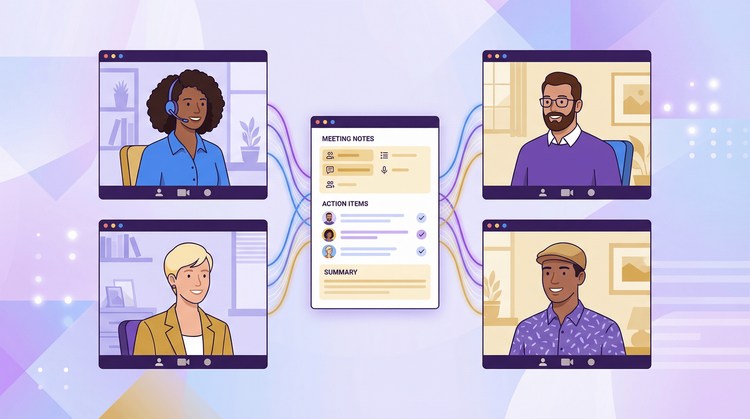
Shared summaries can make collaboration smoother, especially when some people missed the meeting or need to revisit a decision later. A clearer written record reduces misunderstandings and speeds up follow-up. Teams that want more structure before the call can also borrow ideas from this meeting agenda template guide.
When teams need to send a recap after the meeting, structure matters too. Guidance from the UNC Writing Center and Digital.gov’s plain language guide is a useful reminder that summaries work best when they are specific, easy to scan, and written for the reader rather than the writer.
4. Achieve Consistent Accuracy
Human notetakers are inconsistent by nature. Your notes on a Monday morning meeting will differ in quality from your notes after a long Friday afternoon session. An AI meeting assistant can also make meeting documentation more consistent. That matters when teams want a repeatable way to capture decisions, summaries, and action items.
5. Build Organizational Knowledge
One of the most underrated benefits of AI meeting assistants is their role in knowledge management. Every conversation becomes a permanent, searchable record. When a new team member joins, they can review past meeting transcripts to get up to speed. When leadership needs to audit a decision trail, it's all documented. This institutional knowledge compounds over time and becomes a strategic asset.
6. Break Down Language Barriers
Global teams face a unique challenge: not everyone speaks the same language fluently. For global teams, translation and multilingual notes can make meetings easier to follow and easier to share afterward.
7. Keep Every Team Member Aligned
Alignment matters most after the meeting, when teams need to remember what was decided and who owns the next step. A clean summary is more useful when it captures owners, decisions, and follow-up clearly. That is the same idea behind Vemory’s article on why a meeting recap form should do more than summarize.
8 Practical Ways to Use an AI Notetaker
An AI meeting assistant doesn't just take notes — it transforms how you work before, during, and after every meeting. Here are eight high-impact ways to put it to use:
1. Generate Instant Meeting Summaries
No one has time to re-watch a 60-minute recording or scroll through a 15-page transcript to find that one decision about the product launch date. Vemory can turn a long conversation into a shorter summary that is easier to review and share. Whether you're a busy executive reviewing back-to-back meetings or a student catching up on lectures, instant summaries save enormous amounts of time.
2. Automate Follow-Up Emails
One of the biggest productivity drains after a meeting is writing up follow-up communications. With an AI meeting assistant, this becomes automatic. Vemory can generate a polished follow-up email draft that includes the meeting summary, key decisions, and action items with assigned owners — ready for you to review and send. This ensures nothing falls through the cracks and keeps momentum high between meetings.
3. Track and Assign Action Items Automatically
Accurate meeting records are just the starting point. The real productivity gain comes from automated action item tracking. AI tools can also help surface tasks mentioned during the meeting so teams have a cleaner starting point for follow-up. This eliminates the tedious manual work of creating task lists and chasing follow-ups after every meeting.
4. Share Notes Seamlessly Across Your Team
When everyone operates from the same information, teamwork flows naturally. Vemory makes it effortless to share meeting notes, summaries, and transcripts with your entire team or specific stakeholders. Team members can highlight key passages, add comments, and tag colleagues directly within the notes — turning static meeting records into a collaborative workspace.
5. Search Past Meetings Like a Database
Think of your AI meeting assistant as a search engine for every conversation your team has ever had. Need to recall what was agreed upon during a client call three months ago? Simply search by keyword, speaker name, or date. Searchable meeting history is also useful when teams need to find a past decision without reopening a full recording.
6. Bridge Language Gaps in Real Time
For teams operating across multiple countries and time zones, language barriers are a constant friction point. Real-time translation can also help distributed teams follow meetings more comfortably across languages. Post-meeting notes and summaries can also be generated in multiple languages, ensuring no one is left behind.
7. Let the AI Attend Meetings for You
Double-booked? Running late? Sometimes you simply can't make it to every meeting on your calendar. Some tools can also join meetings automatically when you cannot attend live. Connect Vemory to your calendar, configure your auto-join preferences, and the AI will attend, record, transcribe, and summarize the meeting — even when you're not there. You'll receive a full meeting brief afterwards, so you never miss critical information.
8. Capture In-Person and Offline Meetings
AI meeting assistants aren't limited to virtual calls. Some products also support in-person capture through dedicated recording hardware. Whether you're in a boardroom, a coffee shop meeting, or a field interview, you can capture audio and let the AI process it into structured notes, summaries, and action items. This makes Vemory uniquely versatile compared to tools that only work with video conferencing platforms.
Pro Tip: Combine multiple features for maximum impact. For example, let Vemory auto-join a meeting you can't attend, generate a summary with action items, and distribute a follow-up email to your team — all without lifting a finger.
What to Look for When Choosing the Best AI Meeting Assistant
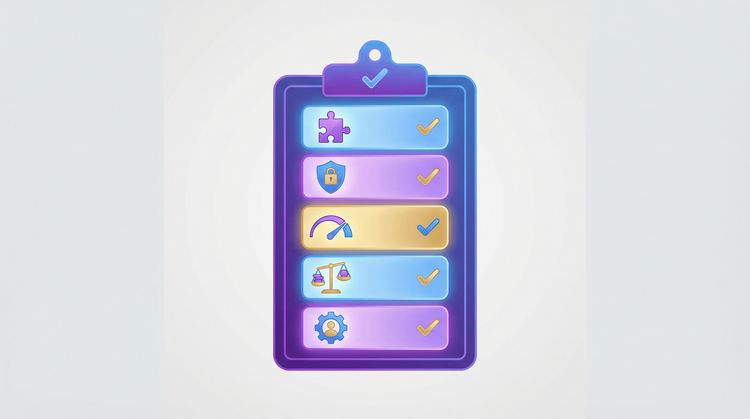
Not all AI meeting tools solve the same problems. Some are strong at transcription, while others are better for collaboration, search, or follow-up. Here is a practical checklist for evaluating them:
Integration Capabilities
Your AI meeting assistant should fit seamlessly into your existing workflow, not force you to change it. Look for tools that integrate directly with your video conferencing platforms (Zoom, Google Meet, Microsoft Teams), calendar apps, project management tools, and CRMs. Look for a tool that fits into the systems your team already uses, including meeting platforms, calendars, project tools, and CRMs. This means meeting insights flow automatically into the systems your team already uses, eliminating manual copy-paste work.
Transcription Accuracy
Accuracy is the foundation of a useful AI meeting assistant. A tool that frequently misidentifies speakers or garbles technical terms creates more work than it saves. When evaluating options, test them in realistic conditions: multiple speakers, overlapping conversations, industry-specific terminology, and different accents. Accuracy still matters. A tool that routinely misses speakers, tasks, or key terms will create cleanup work instead of saving time.
Security and Privacy
Meeting conversations often contain sensitive information — financial projections, personnel discussions, strategic plans, client data. Your AI meeting tool must take security seriously. Essential features include end-to-end encryption, SOC 2 compliance, granular access controls, and data residency options. Security also matters, especially for teams discussing client information, internal planning, or sensitive business decisions.
Multi-Language Support
If your team operates globally, multi-language support is non-negotiable. Beyond basic transcription in different languages, look for real-time translation capabilities that allow participants to follow conversations in their native language. If your team works across regions, language support should be part of the evaluation, not an afterthought.
Pricing and Free Options
Not every team needs an enterprise plan from day one. The best AI meeting assistants offer a generous free tier or trial period so you can evaluate the tool risk-free. Pricing should also match your workflow. A generous trial or flexible plan makes it easier to evaluate the product before rolling it out more widely.
Customization and Flexibility
Every team has unique workflows and preferences. Look for an AI meeting assistant that offers customizable templates, adjustable summary formats, and configurable notification settings. Whether you're running a sales call, a sprint review, or a board meeting, you should be able to tailor the tool's output to match the specific format and level of detail your team needs.
User Experience
AI tools should reduce complexity, not add to it. The best AI meeting assistants have intuitive interfaces with minimal learning curves. Your team should be able to start using the tool productively within minutes, not weeks. Before committing to a paid plan, take advantage of free trials and demos to assess usability, onboarding experience, and overall design quality.
Beyond Virtual: IoT and Hardware Ecosystem
Most AI meeting tools are limited to virtual calls. If your team also holds in-person meetings, field interviews, or off-site discussions, consider a tool that extends beyond the screen. If your team runs many in-person meetings, it is also worth checking whether the product supports offline or room-based capture.
Elevate Your Meetings with Vemory
Meetings are where decisions are made, strategies are set, and teams align on what matters most. But without the right tools, those critical conversations can become sources of confusion, lost context, and wasted time.
An AI meeting assistant can make that process easier. By automating the tedious work of transcription, summarization, and follow-up, it frees you and your team to focus on what humans do best: think critically, build relationships, and drive meaningful outcomes.
Vemory fits this workflow by helping teams capture meetings, organize notes, and keep follow-up clearer after the call. For teams that want one place to manage transcripts, summaries, and action items, that can be a practical advantage.
If your team spends too much time rebuilding meeting context after the call, an AI meeting assistant is worth evaluating.
Ready to Transform Your Meeting Productivity?
Try Vemory if you want a cleaner way to capture discussions, organize decisions, and make follow-up easier after every meeting.
Start Free Trial →